Mantichora

beta0.1.0 · 18 November 2026

Download Mantichora

One file for your system. After that the application looks for newer versions itself and installs one when you say so.

Windows

x64 · your system
Installer.exe · 22.7 MB · for your accountDownload
MSI package.msi · 32.7 MB · for every account, asks for an administratorDownload

What it needs

64-bit Windows 10 or 11 with WebView2. Windows 11 has it already; where it is missing, the installer fetches it.

First start

  1. Open the installer.
  2. If Windows says it protected your PC, choose More info.
  3. Then Run anyway.

Linux

x86_64 · your system
AppImage124.1 MB · runs as it isDownload
Debian and Ubuntu.deb · 36.4 MBDownload

What it needs

An x86_64 system no older than Debian 12, which the build is made on. The .deb has apt bring WebKitGTK 4.1, GTK 3 and the ODBC library.

First start

  1. AppImage: chmod +x Mantichora_0.1.0_amd64.AppImage, then open it.
  2. Package: sudo apt install ./Mantichora_0.1.0_amd64.deb
  3. Find Mantichora among your applications.

No macOS build in 0.1.0 yet: it comes with a later release.

What opens after the first start

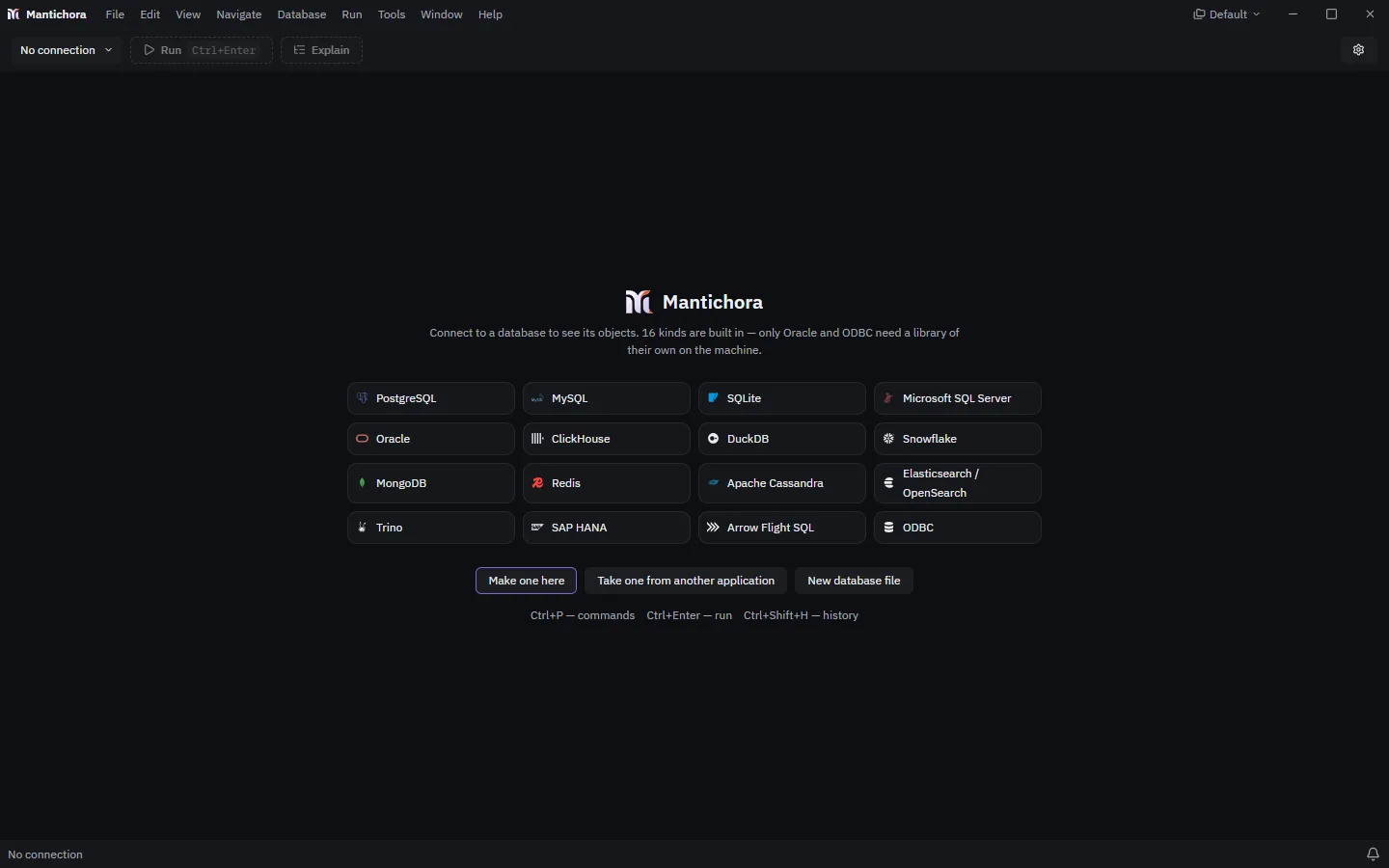
One window, with the kinds it connects to listed and three ways to begin: a new connection, one taken from another application, or a new SQLite file.

The Mantichora window on its first start: the kinds of database it connects to and the buttons that make the first connection

Check what you downloaded

SHA256SUMS.txt holds the SHA-256 of every file of this release. Compare it with the one your system computes.

SHA256SUMS.txt
Windows, PowerShellGet-FileHash .\Mantichora_0.1.0_x64-setup.exe
Linuxsha256sum -c SHA256SUMS.txt --ignore-missing

What changed from one version to the next?

Every release